The documentation for Docusnap Docusnap 13 has been archived and is no longer maintained. Content and links may be outdated. For up-to-date information, please refer to the documentation for the
latest version of Docusnap.
Site Map
less than a minute
The site map is part of the Site Edit function. The Edit Site function is opened in the data grid of the sites via the context menu or by double-clicking on the icon of the site.
The site map serves for the visual representation of the site. The site map can also be used to create elements via drag & drop (e.g. racks, air conditioning systems, etc.) and to assign inventoried systems. The created elements can be edited by double-clicking.
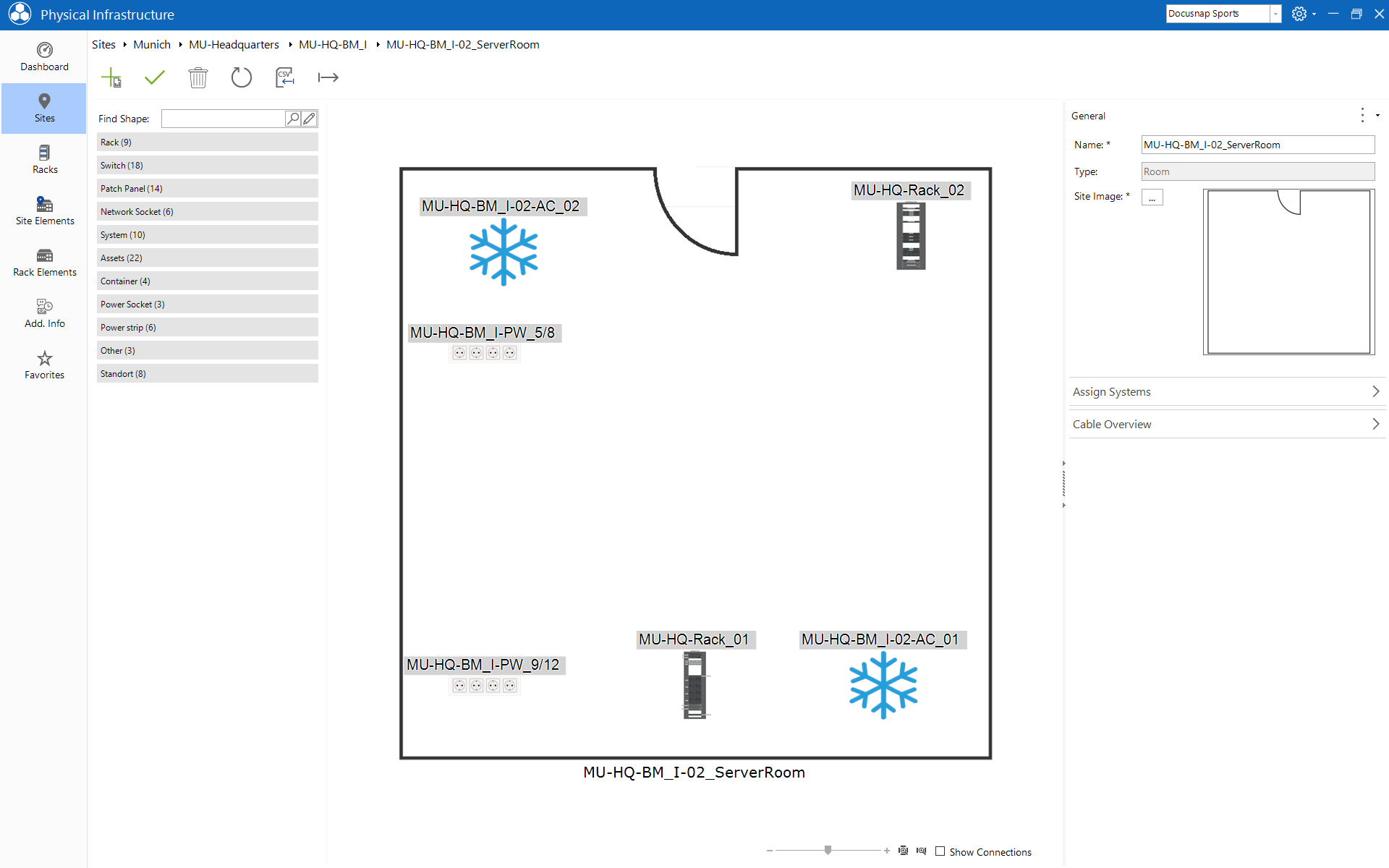
In the map the context menu can be opened with a right click on the displayed elements. This provides further options, e.g. display wiring map or edit and much more.