The documentation for Docusnap Docusnap 13 has been archived and is no longer maintained. Content and links may be outdated. For up-to-date information, please refer to the documentation for the
latest version of Docusnap.
VMware Infrastructure
less than a minute
To start the wizard for inventorying the VMware infrastructure, click the VMware Infrastructure button on the Inventory ribbon. The VMware Infrastructure step will be displayed after you have selected a company and a domain (see: Basic Steps).
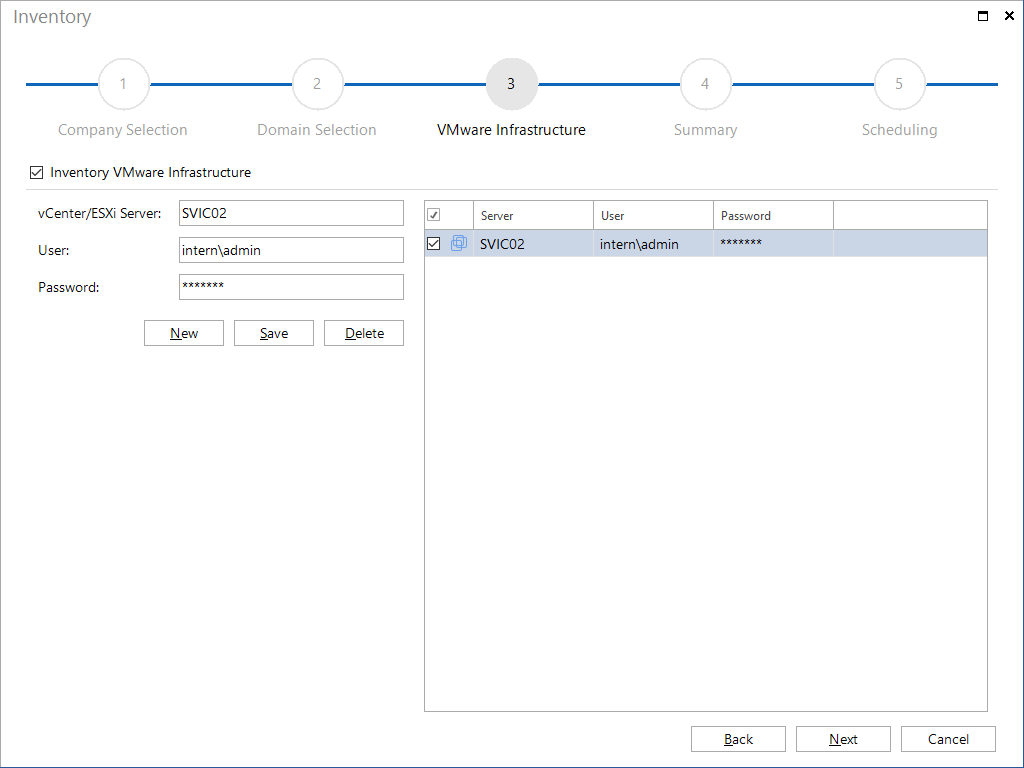
Click the New button to specify the desired VMware VCenter server, VMware server, VMware ESXi or VMware vSphere. In the vCenter/ESXi Server field, you can specify the name or the IP address.
Depending upon the configuration of the VMware product, you may have to specify a port in the vCenter/ESXi Server field in order to establish a connection.