The documentation for Docusnap Docusnap 13 has been archived and is no longer maintained. Content and links may be outdated. For up-to-date information, please refer to the documentation for the
latest version of Docusnap.
SNMP MIBs
less than a minute
In Docusnap, you can include your own or third-party MIBs in the SNMP Inventory.
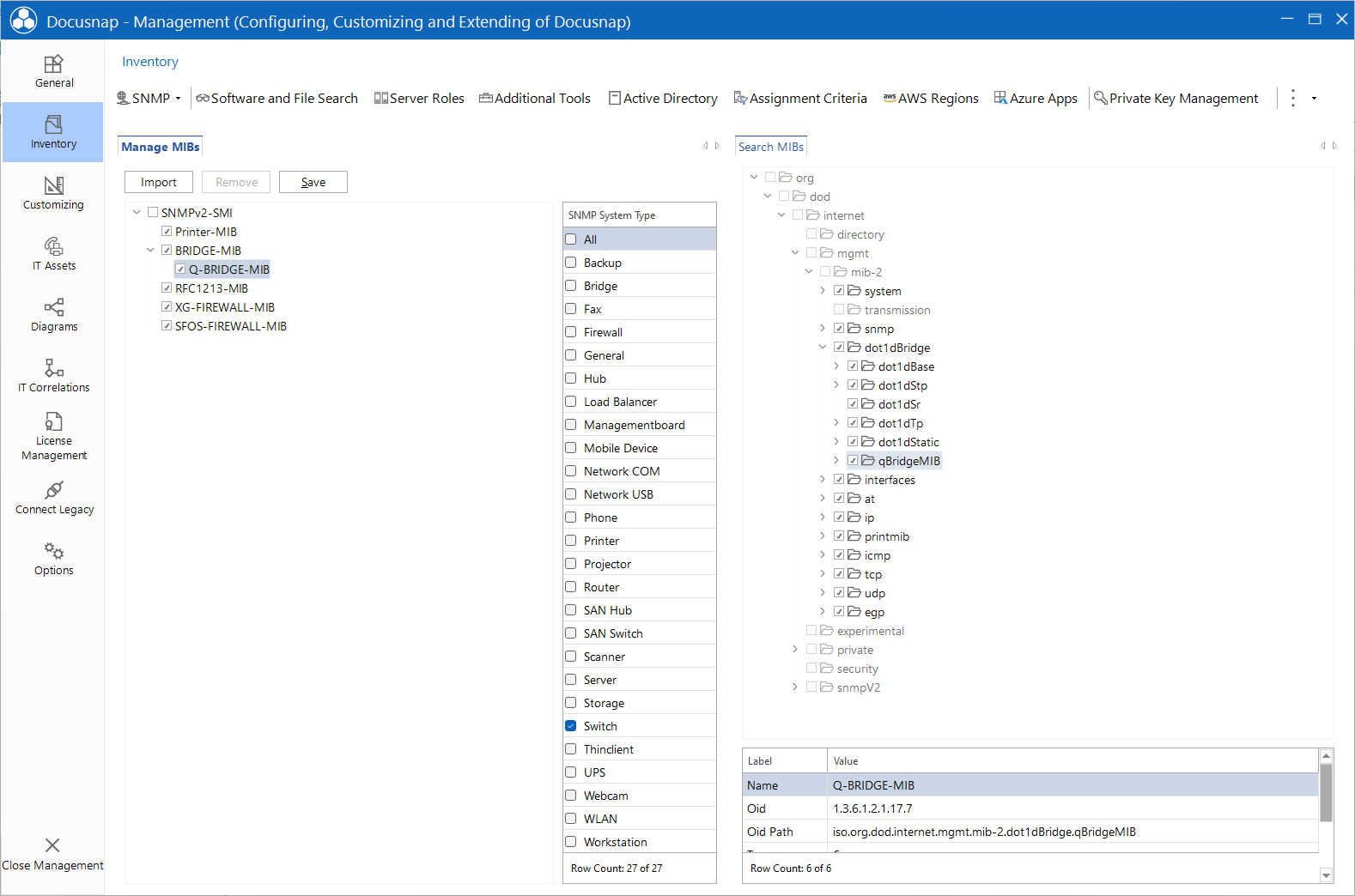
By adding, importing and enabling different MIBs, you can restrict SNMP systems scans to certain device types for which manufacturer information should be considered during the scan.
The Manage MIBs tab allows you to manage the MIBs. There, you can add MIBs to the list by clicking the Import button. In addition, you can export the entire schema and import it into a new database. Thus, it is possible to reuse the schema elsewhere.
First select a MIB, then use the checkboxes next to the entries to determine the manufacturer information to be retrieved for the individual systems.